
CleanShot vs Shottr: which Mac screenshot tool fits your workflow?
CleanShot and Shottr are both strong Mac screenshot tools, but they solve different habits. The useful comparison is not just which tool has more features, but which one fits the work that happens after capture.
CleanShot is a better fit if you want a polished, full-featured capture and sharing workflow. Shottr is appealing if you want a lightweight screenshot utility with OCR, scrolling capture and annotation. Snapling is worth adding to the comparison when you want screenshots, GIFs, OCR, clipboard content and local-first Visual Memory in one place.
CleanShot vs Shottr is a comparison between two Mac screenshot tools with different strengths in sharing, lightweight capture, OCR and post-capture workflow.
Compare CleanShot and Shottr for Mac screenshots, OCR, scrolling capture, GIFs, annotation, history and local-first workflows.
What CleanShot and Shottr are built for
CleanShot is usually evaluated as a polished screenshot workflow for people who want capture, annotation, screen recording and sharing to feel integrated.
Shottr is often attractive because it stays lightweight while covering practical Mac screenshot jobs such as quick capture, annotation, scrolling screenshots and OCR.
Where the workflows differ
The gap becomes clearer after the first screenshot. CleanShot leans toward a fuller visual communication suite, while Shottr leans toward a fast utility that gets out of the way.
If your screenshots are mostly disposable, lightweight capture may be enough. If screenshots become assets, support context, tutorials or reusable references, the follow-up workflow matters more.
When Snapling is the better fit
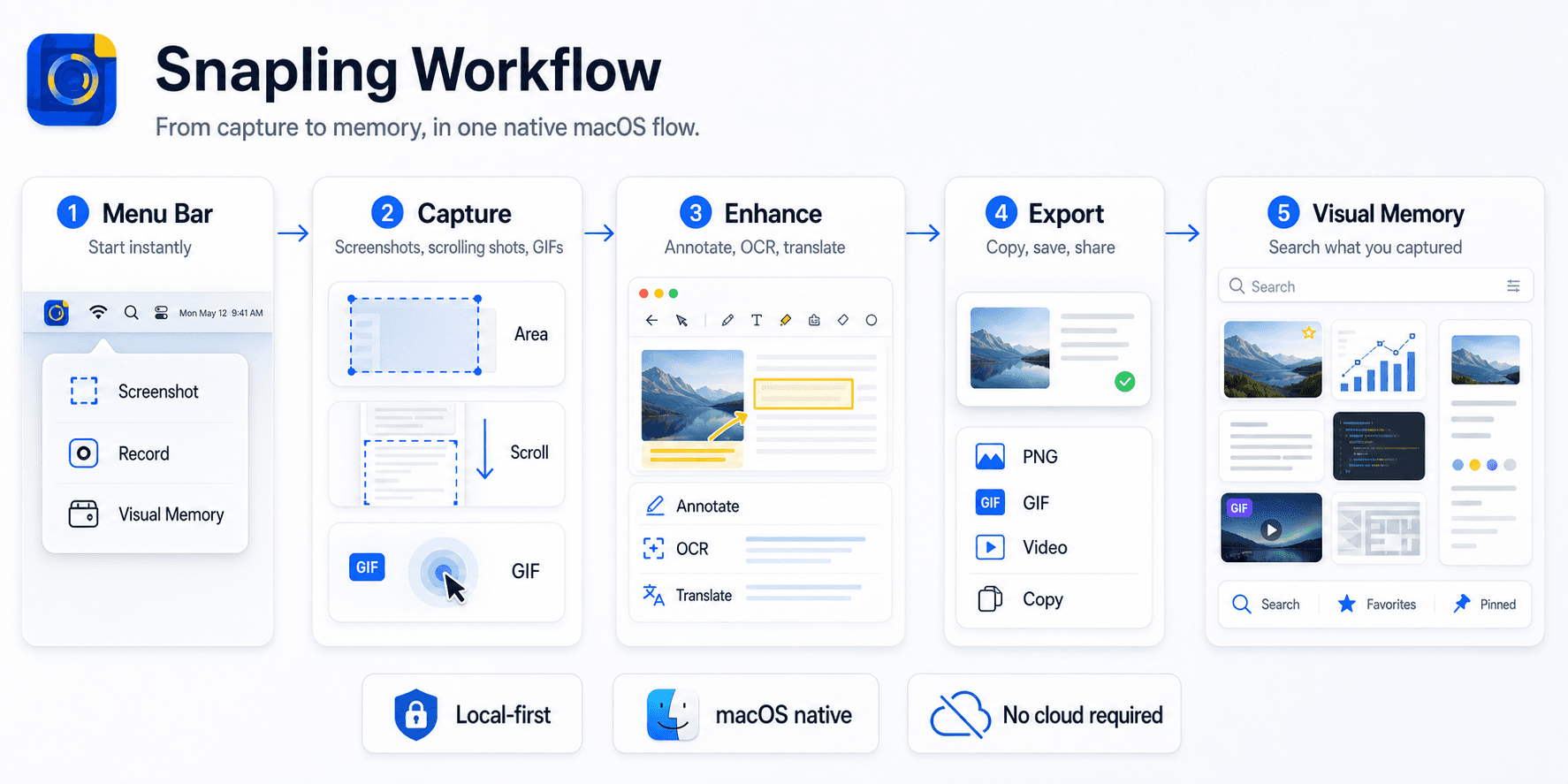
Snapling is positioned around local-first visual memory rather than only quick capture or quick sharing. It keeps screenshots, scrolling captures, GIFs, OCR, translation, clipboard content and screenshot history close together.
That makes Snapling useful when you need to search, organize and reuse captured content privately on your Mac instead of treating every screenshot as a one-time file.
How to choose without overbuying
Start with your repeated jobs: capture a long page, copy text from an image, annotate a product issue, record a short GIF and find an old screenshot later.
The right tool is the one that shortens those real workflows. Feature lists help, but the weekly capture loop should decide the winner.
| Need | CleanShot | Shottr |
|---|---|---|
| Polished screenshot workflow | Strong fit | Lighter fit |
| OCR and scrolling screenshots | Available in a broader workflow | Core lightweight strengths |
| Quick annotation | Strong fit | Strong fit |
| Visual memory and local history | Depends on setup | Limited compared with a dedicated visual memory workflow |
| GIFs and ongoing context | Stronger suite direction | More capture-focused |
A few clear answers before you leave.
Which is better, CleanShot or Shottr?
CleanShot is usually better for a polished all-in-one capture and sharing workflow, while Shottr is better if you want a lightweight Mac screenshot utility.
Is Shottr lighter than CleanShot?
Shottr is generally chosen by people who prefer a lighter screenshot workflow with practical tools such as OCR, scrolling capture and annotation.
Does CleanShot support OCR?
CleanShot supports OCR as part of its broader Mac screenshot and screen capture workflow.
Does Shottr support scrolling screenshots?
Shottr includes scrolling screenshot support, which is one reason it is popular with Mac users who want a lightweight capture tool.
When should I choose Snapling instead?
Choose Snapling when screenshots need to become searchable visual memory with OCR, GIFs, clipboard content, translation and local-first history on Mac.
Related guides
CleanShot alternative for local-first Mac capture workflows
Compare what matters when looking for a CleanShot alternative on Mac, especially local-first capture, OCR, GIFs, long screenshots and screenshot history.
Shottr alternative for OCR screenshots and visual memory on Mac
Compare Shottr alternatives for Mac users who need OCR, screenshot history, long screenshots, GIF recording and local-first organization.
Snipping Tool for Mac
Capture screenshots, scrolling pages, GIFs and clipboard content. Annotate, translate, search and organize visual memory privately on Mac.
Compare Snapling against your real weekly capture loop.
If your workflow includes old screenshots, GIF evidence, OCR text and private capture history, test Snapling next to CleanShot and Shottr.